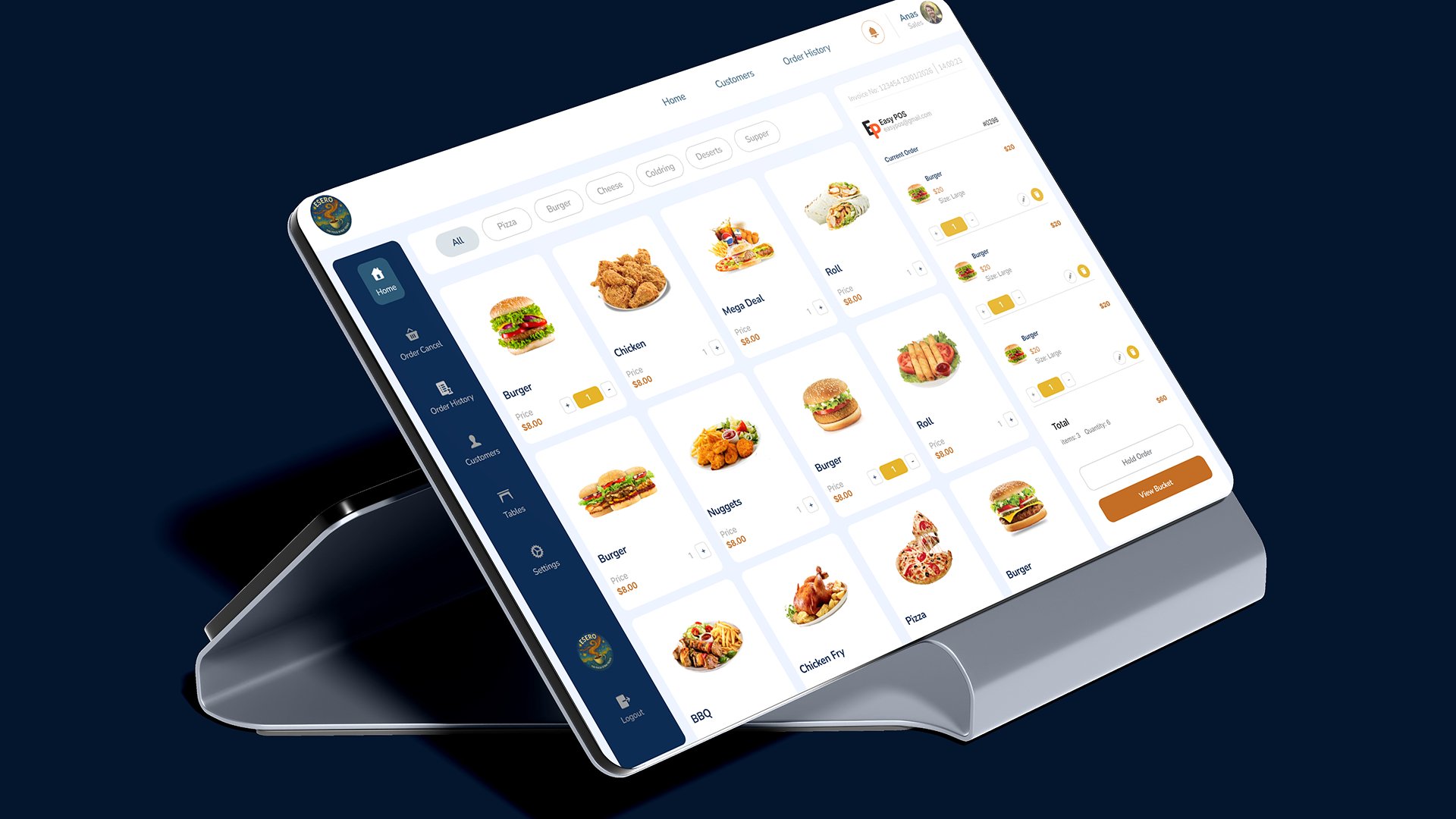
Esero POS Order Screen UI — Restaurant Menu & Billing System Design
Anas Ahmed Khan
Published
Designed the Order Management screen for Esero, a restaurant
Point-of-Sale (POS) system built for fast, intuitive in-store
ordering on tablet and POS terminal devices.
Key features designed in this screen:
Menu Grid Layout — Visual food menu with product images,
item names, and pricing ($8.00) displayed in a clean card-based
grid for quick browsing and selection.
Category Filter Bar — Horizontal filter tabs including All,
Pizza, Burger, Cheese, Catering, Desserts, and Supper for instant
menu navigation.
Live Order Panel — Real-time current order sidebar showing
added items (Burger, size: Large), quantity controls, individual
pricing, and running total with item count.
Bucket & Billing System — Total summary panel displaying
Items: 3, Quantity: 6 with Hold Order and View Bucket CTA buttons
for seamless checkout flow.
Invoice Header — Auto-generated invoice number with date and
timestamp for accurate order tracking.
Multi-Module Sidebar — Navigation covering Home, Order Cancel,
Order History, Customers, Tables, Settings, and Logout.
Design language: Dark navy sidebar, white card menu grid,
gold/amber action buttons, food photography integration,
and professional POS terminal mockup presentation.
Built for restaurants, cafes, fast food chains, cloud kitchens,
and food retail businesses needing a fast and modern ordering
experience.