
 Vicky
Vicky99Designs is a popular platform for sourcing design work, but it might not work for everyone. It’s a wide world out there and there are many different freelancing platforms to suit differing needs. So if you’re stuck in a 99Designs rut, read on while we suggest some alternatives.
In this blog post, we’re unveiling the top 10 alternatives to 99designs. Whether you’re a seasoned freelancer or a business in search of exceptional design solutions, join us as we explore a diverse array of marketplace platforms. Let’s go!
99 Designs Alternatives at a Glance
Your On-Demand Specialists, Ready to Work 🎯
Post your brief and let Twine match you with the right expert.
Free to post. 0% Commission*. 100% Transparency.
Get StartedWhat to Look for In 99Designs Alternatives?
When exploring alternatives to 99 Designs, it’s essential to review alternatives to make sure they have several key features before you switch platforms. Look for:
- A broad range of design categories and services.
- Access to highly skilled and specialized designers.
- Flexible pricing options, including fixed-price projects and hourly rates.
- Robust communication and collaboration tools to ensure seamless interaction with designers.
- Transparent review and rating systems to help evaluate the quality of designers’ work and reputation.
- Use a review platform to compare user feedback and assess the strengths and weaknesses of different services
- Budget clarity. If you don’t have a figure yet, this rate calculator will give you one.
By evaluating these factors, you can find the ideal 99Designs alternative to enhance your freelance career.
The Top 10 99Designs Alternatives
So let’s kick off our deep dive into the 10 best 99Designs alternatives for freelancers and clients. We’ll highlight the key pros and cons of each service to help you discover the next generation of freelancing solutions beyond 99Designs. Let’s go!
1. Twine
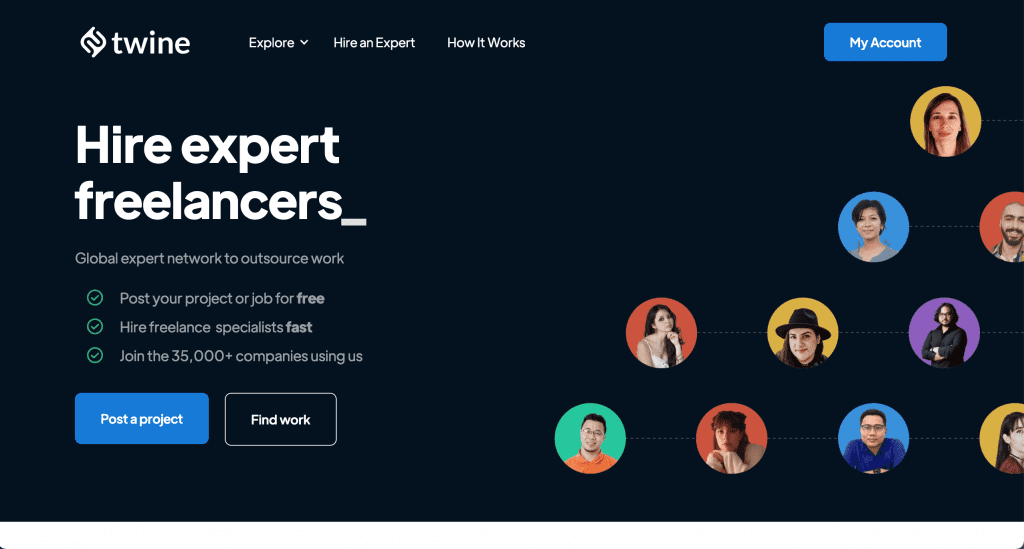
If you’re looking for a 99Designs alternative, Twine is a good place to start – it’s a marketplace with more than 750K+ freelancers from 190+ countries! Twine helps businesses to link up with experts in all sorts of fields. It’s used and trusted by big companies and fresh startups alike. And with its easy-to-use platform and tons of talented professionals from all over the world, Twine makes finding top-notch freelancers a breeze for bringing your projects to life.
After seven years on Upwork, Dot Dot Loans Marketing Director Paul Gillooly recently made the switch to Twine, praising its exceptional talent pool.
The quality of designers, developers, and marketing professionals on Twine is outstanding, and the platform itself is truly unmatched!
Pros of using Twine:
- Scale Your Team: Companies increasingly require teams of contractors rather than just one freelancer. Twine offers a solution that can scale from two freelancers to hundreds.
- Quality Assurance: Twine rigorously vets job applicants, ensuring only top level talent gets through.
- Free Job Posting: Unlike some other freelancing platforms, Twine allows businesses to post jobs for free.
- Direct Payments Flexibility: Twine charges no commission on direct payments made off the platform, giving businesses more freedom in how they pay freelancers.
Cons of using Twine:
- Competition: Freelancers may face stiff competition from other talented professionals vying for the same projects, compared to other 99Designs alternatives.
- Pro/Premium Tier: Some freelancer features are part of Twine’s Pro/Premium membership, which is a paid subscription service.
- Limited Free Membership: Freelancers are limited to 15 job applications per month on the free Starter plan.
Why is Twine a better alternative to 99Designs?
Twine offers a more versatile alternative to 99Designs with its broader range of creative services beyond just design. While 99Designs specializes primarily in graphic design, Twine extends its offerings to include music production, animation, and more, making it a one-stop-shop for various creative projects. Additionally, Twine’s collaborative approach allows clients to work directly with freelancers, fostering stronger communication and creative synergy throughout the project lifecycle.
▼ The Freelancer’s Perspective
Pros
A subscription instead of a commission, so nothing comes out of what you invoice. Portfolio-first, so design work gets judged on the work. Vetting means the briefs you’re recommended for actually fit what you do. And no spec work: you apply with the portfolio you already have, not with unpaid concepts.
Cons
The free tier gives you one application a day and it doesn’t roll over. Pro lifts that and unlocks briefs that are gated to subscribers. Generalist profiles do less well here than specialists, and vetting is a hurdle to clear before you’re visible.
The verdict
If leaving a contest platform is about not working for free, this is the clearest break from that model. Best suited to designers with a specialism and a portfolio that shows it.
2. DesignCrowd
DesignCrowd is a popular platform that specializes in crowdsourced design services. It provides businesses with access to a global community of talented designers who compete to create custom designs based on the client’s specifications. With a focus on graphic design, DesignCrowd offers businesses a diverse range of design solutions, including logos, branding materials, website designs, and more.
Pros of using DesignCrowd:
- Crowdsourcing: DesignCrowd offers the opportunity to receive multiple design concepts from a pool of designers, giving you a variety of options to choose from.
- Customization and Collaboration: Clients can interact directly with designers, providing feedback and requesting revisions to ensure the final design meets their exact requirements
- Quality and Creativity: With access to a global network of designers, DesignCrowd delivers high-quality, creative designs that are tailored to the unique needs of each client.
- Scalability: DesignCrowd can accommodate projects of various sizes and budgets, making it suitable for both small businesses and large corporations.
Cons of using DesignCrowd:
- Higher Costs: DesignCrowd’s crowdsourcing model may result in higher costs, particularly for projects that require extensive revisions or multiple design concepts.
- Time-Intensive Process: The design competition process on DesignCrowd can be time-consuming, as clients need to wait for designers to submit their concepts and provide feedback before selecting a winning design.
- Limited Scope: While DesignCrowd excels in graphic design services, it does not offer a wide variety of freelance services, compared to other marketplace alternatives.
Why is DesignCrowd a better alternative to 99Designs?
DesignCrowd can be a viable alternative to 99designs due to its larger pool of designers and more diverse range of design services. DesignCrowd also offers a wide variety of design services, including logo design, web design, and even packaging design. Additionally, DesignCrowd’s competitive pricing and robust design contest model provide clients with more options and flexibility to choose the best design solution for their budget.
▼ The Freelancer’s Perspective
Pros
Familiar territory if you’ve come from 99designs. High volume of briefs, especially logo and brand identity work. Some one-to-one projects sit alongside the contests, so it isn’t purely speculative.
Cons
The contest model is the same one you already know. You produce concepts up front and most entries earn nothing. Commission applies on top of the entries that don’t pay.
The verdict
A change of venue rather than a change of model. That’s fine if contests suit how you work and you win often enough to make the ratio stack up. If you left 99designs because spec work stopped adding up, this won’t fix it.
3. Upwork
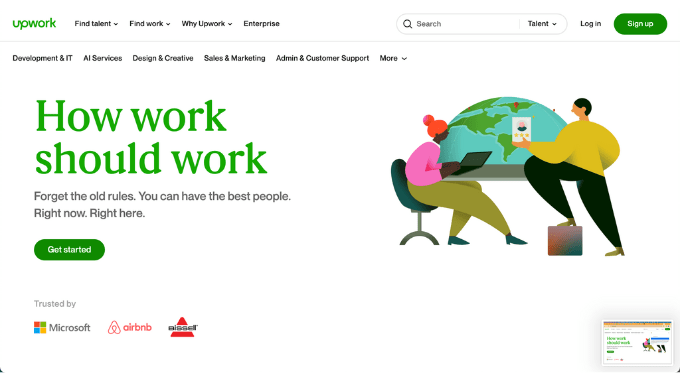
When researching 99Designs alternatives, you might consider Upwork. It’s a leading online platform designed to connect freelancers with clients seeking various services, ranging from web development and graphic design to digital marketing and virtual assistance. With millions of registered users and a vast array of job categories, Upwork has established itself as a go-to destination for both freelancers and businesses looking to collaborate remotely.
Pros of using Upwork:
- Greater Flexibility: Upwork can offer more flexibility in terms of project scope, duration, and pricing structures, allowing freelancers and clients to negotiate terms that best suit their needs.
- Customized Hiring: Upwork allows clients to post detailed job descriptions and screen applicants based on specific criteria.
- Project Management Tools: Upwork offers project management features, including time tracking, milestone tracking, and collaboration tools.
Cons of using Upwork:
- Higher Fees: Upwork can charge higher fees for both freelancers and clients, as well as additional fees for premium features and services.
- Competitive Environment: Upwork’s large talent pool can lead to increased competition among freelancers, making it challenging for new or less experienced freelancers to stand out.
- Variable Quality: While Upwork offers access to a wide range of talent, the quality of work may vary, requiring clients to carefully vet freelancers and monitor project progress.
Why is Upwork a better alternative to 99Designs?
You should consider using Upwork as an alternative to 99designs due to its versatility and extensive talent pool. While 99designs specializes in graphic design, Upwork offers a wide array of services beyond design, including web development, marketing, writing, and more. This broader scope allows clients to find freelancers for various projects all in one place, saving time and effort.
▼ The Freelancer’s Perspective
Pros
An enormous volume of design work, from quick asset jobs through to full brand systems. No spec work: you’re applying to briefs, not submitting concepts. Long-term client relationships are possible once you’re established.
Cons
Connects cost money, so you pay for the right to apply. Competition is heavy and often turns on price. Building visibility takes sustained volume and a consistent review history.
The verdict
Real work at real scale, and you keep less of it than on subscription platforms. Strongest if you can turn one-off jobs into repeat clients quickly, which is where the economics start working for you.
4. Freelancer
Freelancer is a renowned platform in the world of freelancing, offering a vast marketplace where businesses and individuals can connect with skilled professionals across various industries. Whether you’re a freelancer seeking new opportunities or a business looking to outsource projects, Freelancer provides a platform to facilitate these connections efficiently. It’s a real contender in the world of 99Designs alternatives.
Pros of using Freelancer:
- Flexible Pricing: Freelancer provides more flexibility in pricing, enabling freelancers to set their rates based on project requirements and their level of expertise.
- Bidding System: Freelancer operates on a bidding system where freelancers can submit proposals for projects, giving them more control over the projects they choose to work on.
- Opportunity for Long-term Relationships: Freelancer facilitates the development of long-term relationships between freelancers and clients, fostering ongoing collaborations beyond individual projects.
Cons of using Freelancer:
- Competitive Environment: Freelancer’s bidding system can create a highly competitive environment where freelancers need to constantly bid on projects to secure work, which may not be suitable for everyone.
- Fee Structure: Freelancer’s fee structure, including membership fees and project commission rates, may be higher compared to other marketplaces, affecting freelancers’ overall earnings.
Why is Freelancer a better alternative to 99Designs?
Depending on your needs, Freelancer can be a better alternative to 99Designs due to its versatility and extensive range of services. While 99Designs primarily focuses on graphic design projects, Freelancer offers a broader array of freelance opportunities, spanning various industries and skill sets. Clients can find freelancers for not only design but also development, writing, marketing, and more on Freelancer’s platform. This diversity provides clients with greater flexibility and ensures they can find the right talent for any project.
▼ The Freelancer’s Perspective
Pros
High volume across every design category. Contests are there if that format suits you. There’s always something live, which helps in a quiet week.
Cons
Commission plus a limited free bid allowance means paying to compete, often against very low bids. Contest entries are speculative in exactly the way 99designs entries are.
The verdict
Useful for filling gaps and building a first portfolio. Harder to protect a rate here than almost anywhere else on this list, so it works better as a supplement than a base.
5. Toptal
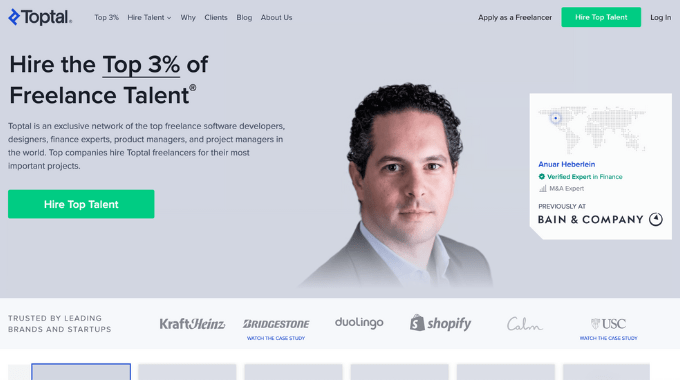
Toptal is a premier platform that connects businesses with top freelancers in various industries, including design, development, finance, and project management. Unlike traditional freelance marketplaces, Toptal rigorously screens its freelancers to ensure they possess exceptional skills and expertise, making it an ideal platform for businesses seeking high-quality talent for their projects. For these reasons it can make a great alternative to 99Designs for freelancers.
Pros of using Toptal:
- Top-tier Talent: Toptal boasts a curated network of elite freelancers who undergo a comprehensive screening process.
- Customized Matchmaking: Toptal matches businesses with freelancers based on specific project requirements, ensuring an efficient hiring process.
- Dedicated Support: Toptal provides dedicated support throughout the entire project, including project management and dispute resolution.
- Focus on Quality: Toptal prioritizes quality over quantity, guaranteeing businesses receive deliverables of the highest standard.
Cons of using Toptal:
- Higher Costs: Toptal’s premium services come at a higher cost compared to 99Designs, making it less accessible for businesses with limited budgets.
- Limited Scope: Toptal primarily focuses on high-end projects and specialized skill sets, which may not be suitable for businesses with smaller-scale or more generalized needs.
Why is Toptal a better alternative to 99Designs?
Toptal can be a great alternative to 99Designs primarily due to its focus on elite talent and personalized matching. While 99Designs offers a wide pool of designers for graphic design projects, Toptal specializes in curating a network of top-tier professionals across various disciplines, including design, development, and finance. Clients on Toptal benefit from a rigorous screening process that ensures they’re matched with highly skilled experts who can deliver exceptional results.
▼ The Freelancer’s Perspective
Pros
There’s a design track alongside the engineering one, and the rates are among the best available anywhere here. Clients are substantial and the briefs are serious. No spec work at any stage.
Cons
Screening is demanding, runs over several weeks, and most applicants don’t get through. Engagements tend to be long and close to full-time.
The verdict
Worth the process if you want depth and stability over variety. Less suited to designers who deliberately keep a mixed client base and short projects.
6. Fiverr
When it comes to the best 99Designs alternatives, we can’t leave out Fiverr. Whether you need a logo, a website, or a jingle for your latest project, Fiverr has a massive pool of freelancers ready to tackle any task you throw their way. It’s a virtual marketplace where you can shop for any service you might need, making it one to consider when looking for 99Designs alternatives.
Pros of Using Fiverr:
- Variety: Fiverr has thousands of freelancers offering services in over 300 categories.
- Affordability: Fiverr’s pricing is often more budget-friendly compared to other 99Designs competitors. You can find gigs starting as low as $5, making it accessible to freelancers and businesses of all sizes.
- Flexibility: Freelancers on Fiverr set their own prices and work schedules, giving you the freedom to find someone who fits your budget and timeline.
- Easy Communication: Fiverr’s messaging system makes it simple to communicate with freelancers, share files, and discuss project details all in one place.
Cons of Using Fiverr:
- Quality Varies: While Fiverr boasts a wide range of talent, the quality can be hit or miss. It’s important to thoroughly vet freelancers before committing to a job.
- Service Fees: Fiverr takes a cut of every transaction, which can add up, especially for larger projects.
- Limited Control: Since freelancers set their own work schedules, you may encounter delays or difficulty getting revisions done in a timely manner.
Why is Fiverr a Better Alternative to 99Designs?
Fiverr presents a better alternative to 99Designs for several reasons. Firstly, Fiverr offers a broader range of services beyond just design, including writing, programming, and marketing, making it suitable for diverse project needs. Secondly, Fiverr’s platform allows clients to browse through portfolios and reviews of individual freelancers, enabling them to find the right fit based on their specific requirements and budget. Additionally, Fiverr’s pricing structure often provides more flexibility, with options for fixed-price services as well as hourly rates.
▼ The Freelancer’s Perspective
Pros
Buyers come to you, so there are no applications to write. Your listing does the selling. Strong for design work that packages neatly, like logo bundles, social templates or thumbnail sets.
Cons
20% commission on everything, with no taper for volume or client tenure. Competition runs largely on price and delivery speed. Climbing the rankings takes volume and an unbroken run of five-star reviews.
The verdict
Works well if your design work fits into fixed, repeatable deliverables. Fights you if every project is bespoke and needs a conversation before you can quote.
7. PeoplePerHour
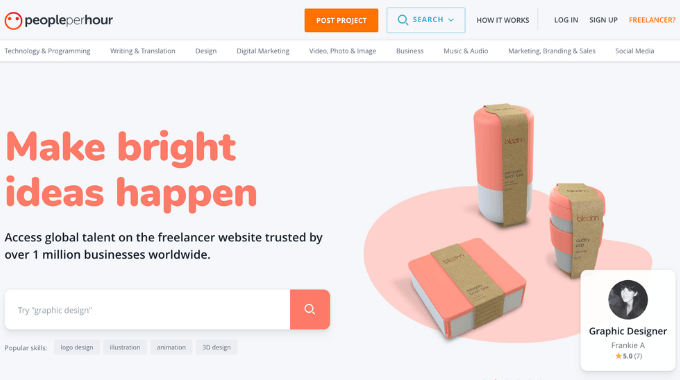
PeoplePerHour is a popular platform designed for freelancers to showcase their skills and connect with businesses in need of various services. With its user-friendly interface and extensive range of categories, PeoplePerHour provides freelancers with ample opportunities to find work and businesses to hire skilled professionals for their projects.
Pros of using PeoplePerHour:
- Customized Project Listings: PeoplePerHour allows businesses to create custom project listings tailored to their exact requirements, making it easier to find the right freelancers for their projects.
- Quality Control: PeoplePerHour has a rigorous vetting process to ensure the quality of freelancers.
- Flexible Pricing: PeoplePerHour offers flexibility in pricing, allowing freelancers to set their rates based on the complexity of the project and their expertise.
Cons of using PeoplePerHour:
- Limited Project Scope: PeoplePerHour may have a more limited scope of projects compared to Toptal, especially in certain niche categories.
- Higher Competition: Due to its focus on specialized services, PeoplePerHour may have higher competition among freelancers, making it more challenging to stand out and secure projects.
- Fee Structure: PeoplePerHour’s fee structure, including commission rates and membership fees can be higher, affecting freelancers’ overall earnings.
Why is PeoplePerHour a better alternative to 99Designs?
PeoplePerHour caters to a wider range of project types beyond just design, including writing, marketing, and programming, offering greater versatility for clients. Secondly, PeoplePerHour’s platform allows clients to directly negotiate project terms with freelancers, providing more flexibility in pricing and project scope. Additionally, PeoplePerHour’s transparent rating system and verified freelancer profiles ensure greater trust and reliability in hiring.
▼ The Freelancer’s Perspective
Pros
A strong UK and European client base, so timezones line up and calls happen at sensible hours. Commission drops as you bill more with the same client, which rewards keeping clients. Less price pressure than the global platforms.
Cons
A smaller overall pool of work. Proposal credits are limited on the free tier. Highly specialized design work can be thin on the ground.
The verdict
A good fit if you’re UK or EU based and want a small set of repeat clients rather than constant volume. The commission taper is worth planning around.
8. Skyword
Looking for a comprehensive solution to your content creation needs? Enter Skyword, where businesses and freelancers come together to create compelling narratives and drive engagement. With its vast network of talented professionals, Skyword simplifies the process of finding quality freelancers and managing projects efficiently.
Pros of using Skyword:
- Specialized Expertise: Skyword focuses on content marketing, providing access to a network of skilled writers, designers, and content strategists.
- Quality Assurance: The platform employs rigorous vetting processes to ensure that freelancers have the necessary expertise.
- Extra Support: Skyword offers additional services such as content strategy consultation, helping clients develop effective content marketing plans.
- Integrated Workflow: Skyword provides tools and features for seamless collaboration between clients and freelancers.
Cons of using Skyword:
- Limited Scope: Skyword specializes in content marketing, so it may not be suitable for projects requiring other skills.
- Higher Costs: Skyword’s focus on quality and expertise might come with higher rates compared to more generalized freelance platforms.
Why is Skyword a better alternative to 99Designs?
If you’re after content creation and storytelling, Skyword may be a better alternative to 99Designs. While 99Designs focuses primarily on graphic design, Skyword offers a broader range of services, including copywriting, content strategy, and multimedia production. This diversity allows businesses to access a wider pool of creative talent and fulfill their content needs more comprehensively.
▼ The Freelancer’s Perspective
Pros
Steady, well-briefed work with brands you’ll recognize. Entry is by invitation and portfolio review, so competition is low once you’re in.
Cons
Built around content and writing rather than design. Limited scope if visual work is your specialism. You’re working inside someone else’s editorial program, to their standards.
The verdict
A poor match for most designers. Worth knowing about if you write as well as design, or if your visual work sits inside content production.
9. SolidGigs
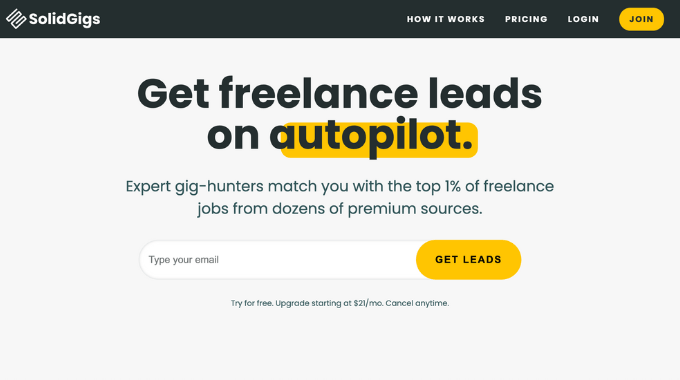
SolidGigs is a go-to platform for freelancers seeking high-quality projects and clients looking to hire. With a curated selection of opportunities spanning various industries, SolidGigs streamlines the process of finding and securing freelance work.
Pros of using SolidGigs:
- Curated Jobs: SolidGigs provides curated job listings, saving freelancers time by presenting only high-quality opportunities.
- Development Resources: The platform offers resources like courses, templates, and guides to help freelancers enhance their skills.
- Personalized Recommendations: SolidGigs uses algorithms to match freelancers with relevant jobs based on their skills and preferences.
- Community: Freelancers on SolidGigs can connect with each other, share advice, and collaborate.
Cons of using SolidGigs:
- Limited Job Selection: Compared to larger freelance marketplaces, SolidGigs may have a limited selection of job opportunities.
- Membership Fee: SolidGigs requires a subscription fee for access to its curated job listings and resources.
- Competition: As SolidGigs aims to connect freelancers with high-quality clients, competition for available jobs may be more intense.
Why is SolidGigs a better alternative to 99Designs?
SolidGigs offers a superior alternative to 99Designs by providing freelancers with a curated selection of high-quality projects across various industries. Unlike 99Designs, which primarily focuses on design contests, SolidGigs offers a diverse range of opportunities, including design, writing, marketing, and more. With its subscription-based model, SolidGigs ensures that freelancers have access to a consistent stream of well-paying gigs, eliminating the need to participate in competitive contests.
▼ The Freelancer’s Perspective
Pros
Unusually for this list, it’s built for freelancers rather than clients. You pay a subscription and curated job leads come to you. It saves the hours you’d otherwise spend trawling boards.
Cons
You’re buying leads, not access to a marketplace. The work still lives somewhere else, so you’re applying cold with no platform profile behind you. The value depends entirely on lead quality in your particular niche.
The verdict
A sourcing tool rather than a place to work. It sits alongside the platforms on this list rather than replacing any of them.
10. Guru
Guru is a popular platform for both freelancers and businesses to collaborate on projects. Guru offers several stand out features for the freelancing industry, including a safe pay system, collaborative work rooms, and flexible payment agreements. It’s one to consider if you’re after a 99Designs alternative.
Pros of Using Guru:
- Secure Payments: Guru’s SafePay system ensures freelancers and clients are satisfied before funds are released.
- Flexible Payments: Guru allows users to choose between hourly rates, fixed prices, recurring payments, or task-based payments.
- Collaboration: WorkRooms provide a centralized space for freelancers and clients to collaborate, share files, and track project progress in real-time.
Cons of Using Guru:
- Higher Commission: Some may find Guru’s commission rates to be higher than other platforms.
- Limited Quality Control: Unlike platforms with stringent vetting processes, Guru may have a less rigorous quality control system, leading to variability in the quality of freelancers’ work.
Why Is Guru a Better Alternative to 99Designs?
Guru can potentially be a better alternative to 99Designs due to its versatile platform catering to a wide range of freelance services beyond just design. While 99Designs focuses primarily on graphic design contests, Guru offers a diverse array of skilled professionals across various industries, including IT, marketing, writing, and more. This broader scope allows clients to find experts for a multitude of projects, from web development and content creation to business consulting and beyond.
▼ The Freelancer’s Perspective
Pros
SafePay escrow gives you better payment protection than platforms that leave you to sort contracts yourself. Commission drops at higher membership tiers. Competition is lower than on the biggest marketplaces.
Cons
Less design work moving through it than the larger platforms. The interface shows its age. Higher tiers cost money before they save you any.
The verdict
Suits designers building long-running client relationships rather than chasing one-off projects. Do the math on your actual volume before paying for a tier.
Looking for high-quality freelance projects? 🚀
Tired of platforms that eat your profits? Twine is built for experts who want fair access to briefs without the marketplace tax.
- ✅ Keep 100% of your earnings
- ✅ Quality-checked opportunities
- ✅ Secure payments via vault
What is the best alternative to 99Designs for small businesses?
The best 99Designs alternative for small businesses often depends on budget and project needs:
- Fiverr is ideal for quick, affordable design projects like logos or social media graphics.
- Freelancer and Upwork give you more flexibility with hourly or project-based hires.
- DesignCrowd is great if you want multiple design concepts through crowdsourcing.
- Twine works well for small businesses as it offers freelancers in areas like animation, music, and marketing, tech making it a versatile option if your project spans multiple creative disciplines.
If you need fast turnaround and budget-friendly options, Fiverr works best. For ongoing relationships with designers, Upwork or Freelancer is are stronger choice. And if you want a one-stop shop for multiple services with fast turnaround, Twine is a smart alternative.
Are there platforms that offer more services than just design?
Yes. Upwork, Twine, Fiverr, and Guru go far beyond graphic design. They include categories like web development, content writing, animation, video editing, and marketing. If you’re running multiple projects across different disciplines, these platforms can save you time by letting you hire for everything in one place.
How do I choose the right 99Designs alternative for my project?
Ask yourself:
- What’s my budget? Fiverr/Freeelancer = lower-cost, Toptal/Twine = premium and high-quality
- Do I need variety or one strong designer? Crowdsourcing (DesignCrowd) = variety. Direct hire (Upwork, Twine) = relationship building.
- Do I need just design, or more services? If you’ll need marketing, development, or video work too → Upwork or Twine is better. Both allow you to manage one-off projects as well as multiple projects
The “right” alternative depends on budget, project complexity, and whether you want one-off work or an ongoing design partner.
How much does it cost to hire a freelance designer?
It varies more than most people expect. “Design” covers a single social template and a complete brand system, and the gap between them is large. Experience level and project length move the number as much as the discipline does.
Contest platforms quote a prize pot up front, which is predictable, but it means setting your number before you have scoped the work. Hiring directly runs the other way round: scope first, price after.
For an indicative range on your own project, use our freelance rate calculator. It covers graphic design, video, development and marketing, by experience level and duration.
Final Thoughts:
And there you have it! Those were our top 10 alternatives to 99Designs. Whether you’re a designer looking for a new platform to showcase your skills or a business in need of creative solutions, there’s something out there for everyone. So go ahead, explore your options, and find the perfect fit for your design projects. Happy designing!

 Twine
Twine