
 Ksenia Melnychenko
Many freelancers and remote workers check social feeds between tasks and lose 20–40 minutes without realizing it. This habit, often triggered by a brief lull in a project or a wait for client feedback, fragments focus and simply extends the workday. Learning how to stop doom scrolling is no longer just a mental health recommendation; it is a critical productivity strategy for anyone managing their own schedule.
Replacing the reflexive pull of social media algorithms with structured microlearning is a proven strategy for reclaiming lost time. Unlike infinite feeds, microlearning offers a defined beginning and end. Based on current user ratings and performance data, the solutions and tools below demonstrate how this replacement behavior works in a daily professional routine!
1. Headway Summaries App: You Read Core Ideas in 15 Minutes
Tools like Headway allow professionals to replace aimless browsing with high-value knowledge consumption that fills gaps in a freelance schedule. Short reading blocks significantly increase completion rates compared to long-form texts. For the remote professional, finding time for a 300-page business book is difficult. Headway addresses this by condensing core ideas into 15-minute summaries. This is particularly useful during transit, such as a commute or a flight delay at an airport gate.
While long books require sustained attention and physical space, a condensed summary fits the modern mobile lifestyle. When you replace a social feed with a Headway summary, you engage with a structured concept in under 15 minutes. You can read the summary, highlight one actionable idea, and save it for later reference. This converts dead time into a defined learning block:
- The app features over 2000+ nonfiction summaries and includes an audio mode, which is helpful for those who prefer to learn while walking or commuting.
- Streak tracking is tied to daily reading time to encourage consistency, and category filters let you focus on productivity, marketing, or leadership, and much more.
- With over 55+ million downloads, it has become a standard tool for digital professionals seeking to optimize their screen time.
2. Nibble Learning App: You Read Short Lessons Between Tasks
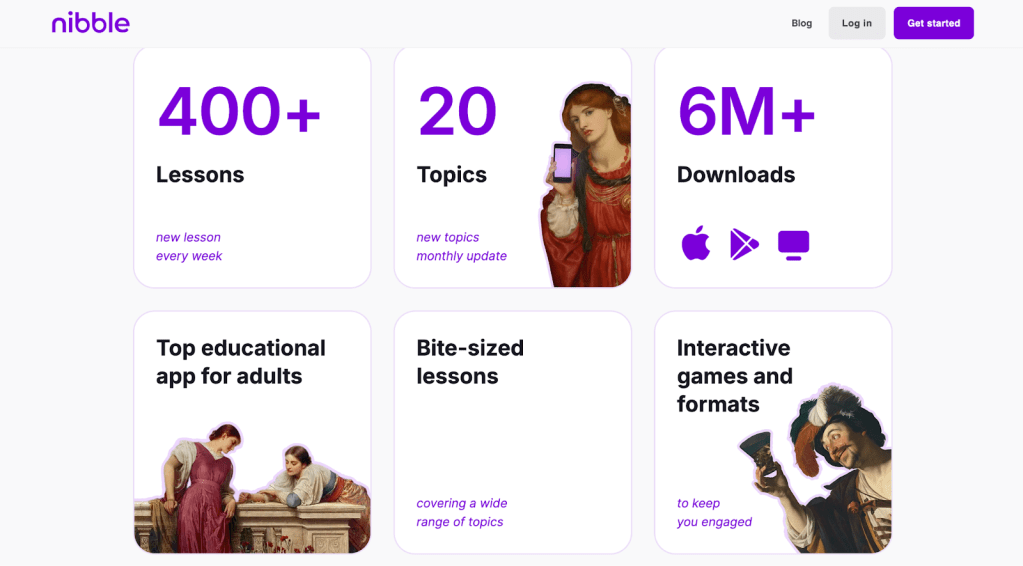
Short-form learning apps offer higher session completion rates when modules are kept under 10 minutes. Nibble is designed specifically for these narrow time windows. A freelancer might open a lesson during a large file upload or while waiting for a Zoom room to open. Because the content is partitioned into bite-sized pieces, you can finish a specific topic before returning to work.
Consider a scenario where you sit in a café waiting for a call. Opening social media in this environment often leads to a rabbit hole of unrelated news or entertainment with no stopping point. A fixed-length lesson on Nibble creates a clear exit strategy. You complete one lesson in approximately 8–12 minutes, answer a few review questions to solidify the information, and close the app. You return to your professional tasks without the fragmented attention that follows a social media binge.
The app includes several features that support these short sessions. You simply get great design and use:
- Topic-based modules that show the estimated lesson length before you start so that you can match the content to your available time.
- A progress indicator that marks completed lessons, providing a sense of achievement that social media feeds lack.
- You can also adjust daily reminders to match the specific gaps in your work schedule.
3. Forest App: You Stay Off Social Media During Work Blocks
Phone interruptions reduce task efficiency by measurable margins due to the time required to recover from a flow state. Forest addresses the urge to scroll by gamifying the act of staying focused. When you need to focus on a new assignment, you can just turn on a 25-minute timer in the app. The visual incentive is simple:
- A digital tree grows while the timer runs.
- Suppose you leave the app to check a notification or browse a feed, the tree withers.
- This creates a visible boundary for your attention.
- By setting a 25-minute block (Pomodoro technique), you commit to completing a specific section of your work.
The result is a reduction in impulsive scrolling during periods that require deep focus. The app also provides a session history log so you can track your total focused hours over a week.
4. Freedom App: You Block Distracting Apps on Schedule
For many freelancers working without direct supervision, the temptation to check feeds is always one tap away. Freedom is a tool that removes the option entirely by blocking access to selected apps and websites across all your devices. Simply saying, structured blocking leads to longer, more sustained work sessions.
You can schedule these blocks to coincide with your most productive hours. For example, you might block all social media like Instagram from 9:00 AM to 12:00 PM. During this time, the white noise of the internet is silenced, allowing you to whitelist only the tools necessary for your current project. This lower access to distractions naturally reduces total screen time and helps break the habit of checking the phone during every minor work frustration.
5. RescueTime: You Track Where Your Screen Time Goes
A review published in Brain Sciences confirms that digital distractions lead to significant cognitive fatigue, often described as ‘brain rot.’ This study highlights how doomscrolling through low-quality content depletes mental resources and executive function, making it increasingly difficult for professionals to return to complex, high-value tasks.
Most people assume their scrolling only takes a few minutes, but data often reveals much higher totals. RescueTime is an automated tracking software that quantifies exactly how much time you spend in different app categories. It runs in the background of your laptop and phone, providing a daily summary of your digital behavior:
- When you see a report stating you spent 90 minutes on a news feed on a Tuesday, it becomes easier to make informed decisions about your habits.
- Tracking reveals the specific times of day when your discipline wanes.
- You can also set alerts for social app limits that notify you when you reach your daily limit.
- You get estimation and data-driven awareness: it is a foundational step in changing how you interact with your devices.
6. Focus To-Do: You Use 25-Minute Study Sessions
The Pomodoro technique we mentioned above, introduced by Francesco Cirillo, is a staple of time management. Focus To-Do integrates this technique with a task manager. Often, the urge to scroll arises immediately after finishing a small task because no next action is clearly defined. By using 25-minute work intervals, you create a structured rhythm for your day.
In this model, you assign a specific learning or work task to each interval. When the timer starts, you focus solely on that task. When the timer ends, you take a short, timed break. This reduces the transition gaps where aimless scrolling usually begins. The app includes:
- Task tagging
- Completion statistics
- Basic setting features
Apps That Help You Stop Doom Scrolling
App | Core Function | How You Use It | What Problem It Solves | Key Features |
Headway | 15-minute nonfiction summaries | You read one summary while commuting or waiting for client feedback | Replaces infinite feeds with structured learning that has a clear end | 2000+ summaries, audio mode, streak tracking, category filters |
Nibble | Short interactive lessons under 10 minutes | You complete one lesson during file uploads or before meetings | Prevents random scrolling by offering fixed-length content | Lesson length display, progress tracking, and adjustable reminders |
Forest | Focus timer with app restriction | You set a 25-minute session when drafting or coding | Reduces phone interruptions during deep work | Visual timer, tree-growth incentive, session history |
Freedom | Scheduled app and website blocker | You block social media during peak work hours | Removes access to distraction during defined periods | Cross-device blocking, recurring schedules, and whitelist mode |
RescueTime | Automated screen-time tracking | You review daily reports to see the actual scrolling time | Replaces assumptions with measurable data | Background tracking, category reports, alerts for limits |
Focus To-Do | Pomodoro timer with task manager | You assign one defined task per 25-minute session | Eliminates idle transition gaps that trigger scrolling | Built-in timer, task tagging, completion stats |
Test the Tools and Replace Scrolling With Structured Learning
Addressing the question of how to stop doom scrolling requires a two-pronged approach: removing the temptation and providing a better alternative. Broadly, the apps mentioned here fall into two categories: blocking tools that provide boundaries and structured learning tools that provide high-value content.
Microlearning formats are particularly effective for freelancers and remote professionals because they respect the reality of a busy schedule. You do not need an hour of free time to be productive. You can use those free minutes for 10 or 15 minutes of focused intent and start continuous learning. You can try one structured session this week — perhaps replacing your morning scroll with a Nibble lesson or a Headway summary or just reading articles at Medium — and observe the difference in your screen time data and your overall levels of focus!


 Squarespace
 Twine
Twine
 George Shuter