
 Iryna Oleinikova
Freelancing gives you something rare: the freedom to shape your own workday, choose your own clients, and build a career that fits your life. But that freedom also comes with a constant balancing act. You’re not just creating—you’re organizing, responding, planning, meeting, editing, and delivering. The smoother your tools work together, the more effortless the rest of your workflow becomes.
Many freelancers on Twine already rely on their iPhones, iPads, and Macs on a daily basis. Still, few take full advantage of how seamlessly these devices can support a comprehensive creative and professional workflow when paired with the right apps.
Below is a curated toolkit designed to help freelancers work with more clarity, confidence, and flow.
1. PDF Expert – a seamless document hub across all your Apple devices
Every freelancer has moments when a document suddenly becomes the most important thing in their world—right before a meeting, during a handoff, or while reviewing a revision. A contract needs to be signed. A brief needs clarification. If you are working with international clients, translating their documents or sending invoices in another language may be one of your daily routine tasks. PDF Expert is built for precisely these moments.
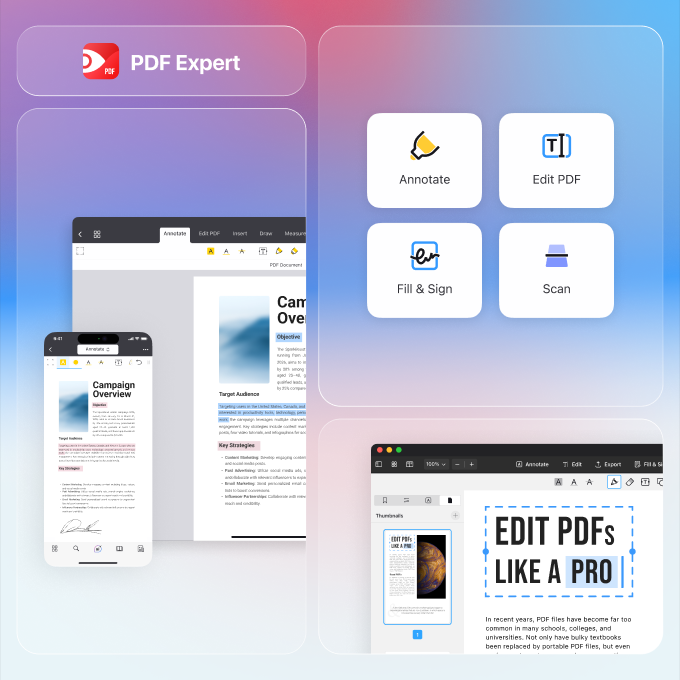
What freelancers often appreciate most is how naturally it fits into the Apple ecosystem: you can mark up a PDF on your iPad with Apple Pencil, switch to your Mac to fine-tune the layout, then send it from your iPhone when you’re on the move. The workflow feels fluid—almost invisible—which is precisely what you want when deadlines are close.
Because freelancers often work with recurring documents, the ability to use free PDF templates is a quiet superpower. Many creators upload invoice designs, proposal layouts, project briefs, or reusable onboarding documents and customize them as needed. It saves time, maintains consistency, and makes you look prepared.
AI support for your documents is also significant when you feel drained from working with numerous lengthy documents or briefs. You can build a workflow where documents support your progress instead of slowing you down in PDF Expert.
2. Spark– email that helps you stay on top of things
Freelancers quickly learn that communication is the backstage engine of every project. A well-written email can win a job, clarify expectations, or resolve a misunderstanding before it becomes a problem. But with multiple clients, requests, deadlines, and attachments, inboxes fill up fast.
Spark helps bring a clear structure. It sorts incoming messages intelligently, helping you see what truly needs your attention. It also makes it easy to pin important threads, draft cleaner responses, and—when necessary—step away without fearing your inbox will spiral out of control.
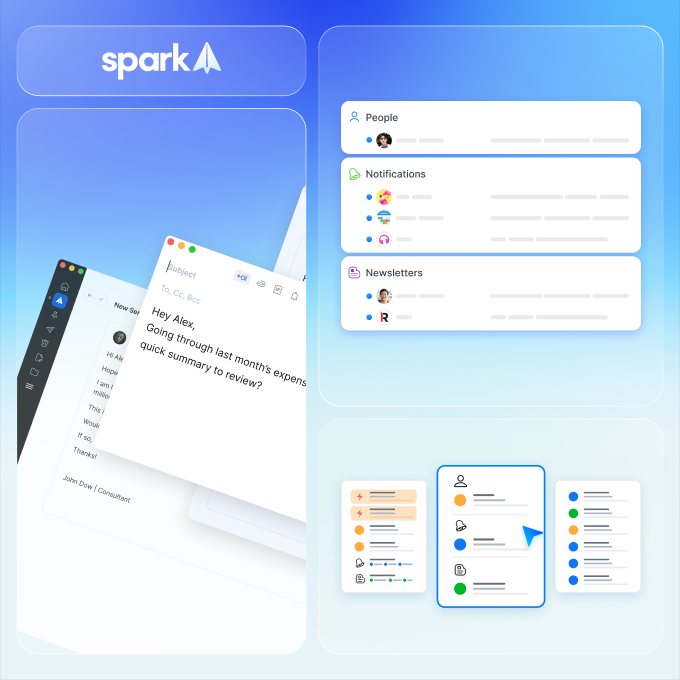
The real magic for freelancers comes from Spark’s templates and quick replies. If you often send progress updates, onboarding messages, or revisions, having pre-written structures saves enormous amounts of time.
And because Spark integrates smoothly across Apple devices(also available on Android!), you can triage on the go, reply from your iPad during a creative break, or finalize important emails from your Mac without losing context.
For freelancers, clarity is what keeps the work moving rather than a luxury.
3. Things – a gentle, intuitive task manager for busy creative brains
Things is a favorite among creatives because it’s structured enough to keep you productive yet flexible enough to adapt to real-life freelance rhythms.
It works beautifully across the Apple ecosystem: you can jot down a quick task on your iPhone, reorganize your projects on your Mac, and use your iPad for focused planning sessions.
Things shine when you want to break down big client projects into manageable steps. Instead of feeling like one giant block of responsibility, your week becomes a sequence of small wins. Deadlines feel less intimidating, and setting up deep-focus sessions becomes easier.
For freelancers with multiple clients, Things also offers a calm visual way to see everything at once—without the clutter of meetings or the noise of endless reminders.
4. Procreate – creativity wherever inspiration hits
For freelancers working in design, illustration, branding, content, or visual storytelling, Procreate on the iPad is more than an app—it’s a portable studio. Pair it with Apple Pencil, and your iPad becomes a natural sketchbook, draft pad, and professional workspace in one.
Whether you’re sketching concept ideas for a client, building moodboards, storyboarding content, or refining final artwork, Procreate makes the transition between creativity and delivery almost seamless. Exporting files right into your project folders, email threads, or PDF Expert workspace keeps everything moving smoothly.
Freelancers love it not just for the brushes and effects, but for the freedom to work anywhere: at a café, on a train, in a park, or while waiting for a meeting to start. Creativity doesn’t always strike at your desk—Procreate helps you capture it on the spot.
5. Loom – show clients exactly what you mean, in minutes
Some explanations are simply more straightforward to show than to write. When you’re trying to walk a client through a design choice, clarify a revision, or give feedback on a draft, long email threads can quickly make things more confusing than they need to be.
That’s where Loom fits beautifully into a freelancer’s workflow. With Loom, you can record a quick screen walkthrough—on your Mac, iPad, iPhone, or even directly in your browser—and share it instantly through a simple link. No exporting. No uploading. No need to schedule another meeting just to point out a minor detail.
It’s the kind of tool that quietly speeds up collaboration. Clients see precisely what you’re referring to, in your tone of voice, with clear visual context. You save time, they understand faster, and projects move forward with less back-and-forth. And because it works across both Apple devices and the web, you can send a polished, helpful walkthrough from wherever you’re working that day.
How these tools fit together in a freelancer’s real workflow
The real strength of the Apple ecosystem is in how naturally everything works together. Each tool fills a specific need without interrupting your flow, so your day becomes a smooth sequence rather than a patchwork of tabs and devices.
Imagine a workday like this:
- You sketch early concepts in Procreate while talking through ideas with a client.
- You shape those ideas into a clear outline and plan inside Things, mapping out your next steps.
- You turn that outline into a polished document in PDF Expert, ready to share.
- You send it through Spark, keeping the conversation organized and easy to follow.
- And when a visual explanation would save a dozen messages, you record a quick walkthrough in Loom and share the link instantly.
Each app picks up where the previous one left off, without friction or the usual “which folder did I put that in?” moments. Together, they form a workflow that supports you quietly in the background—helping you stay focused, confident, and ready for whatever your projects need next.
This toolkit is a starting point, not a prescription. The best workflows are the ones that feel natural to you, adapt to your habits, and support your creative rhythm across your Apple devices.


 Ksenia Melnychenko
 Squarespace
 Twine
Twine